Airmail MCP
Connect Airmail form macOs to Claude, Codex, and other AI assistants — and manage your email just by asking.

What’s New
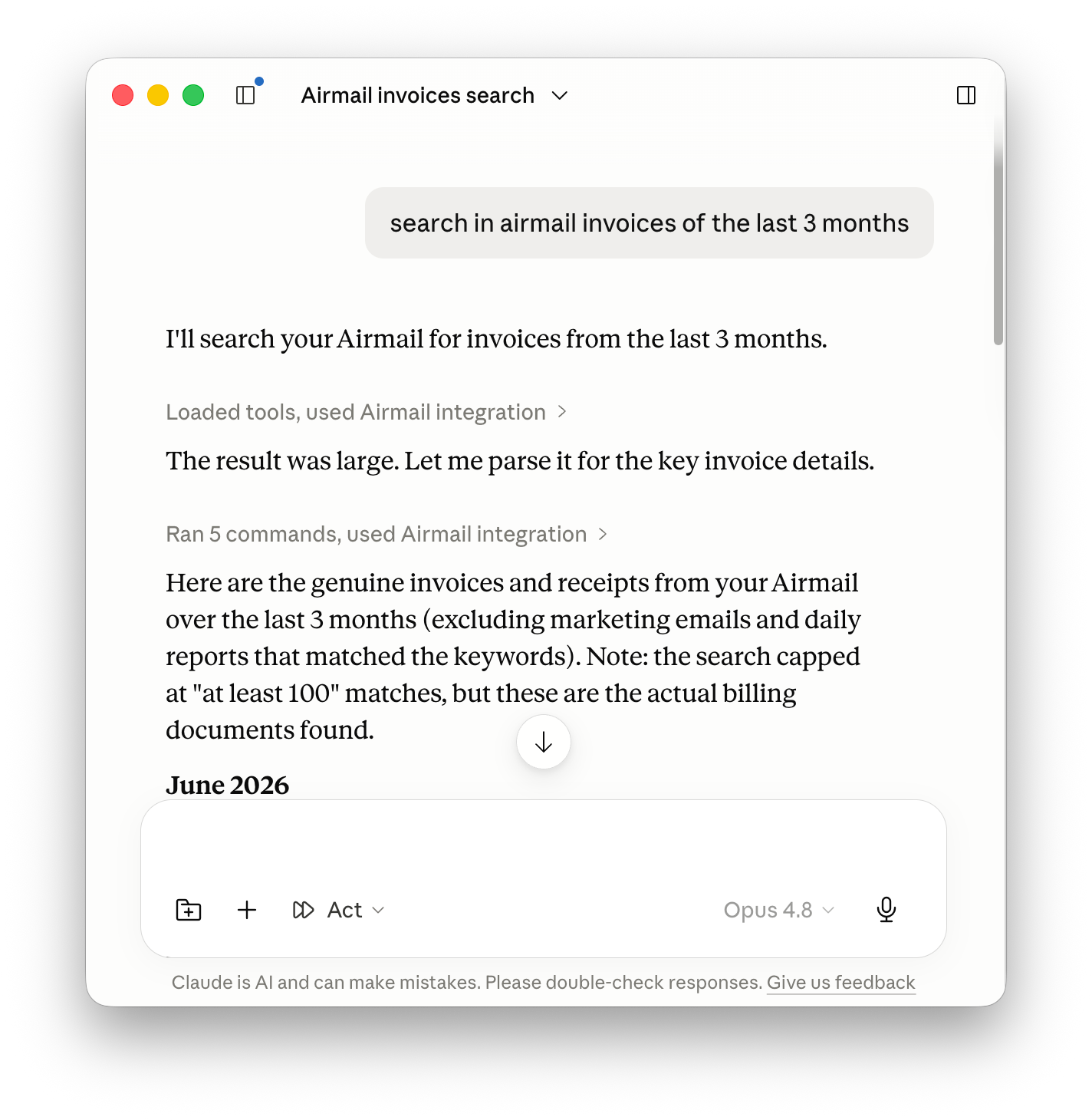
Airmail now connects to AI assistants like Claude, Codex, and other compatible chatbots — so you can manage your email just by asking, in plain language.
Ask your assistant to find messages, summarize long threads, draft replies, tidy up your inbox, and organize folders. Airmail stays in control: everything runs on your Mac, and you decide what the assistant is allowed to do.
What you need
Airmail for Mac — download at
https://airmailapp.com
The Airmail MCP — download at https://www.npmjs.com/package/airmail-mcp
A compatible AI assistant, such as Claude, Codex, or another chatbot that supports MCP.
How to set it up
Download and install Airmail for Mac.
Open Airmail’s settings and turn on the MCP connection.
Open your AI assistant and connect it to Airmail.
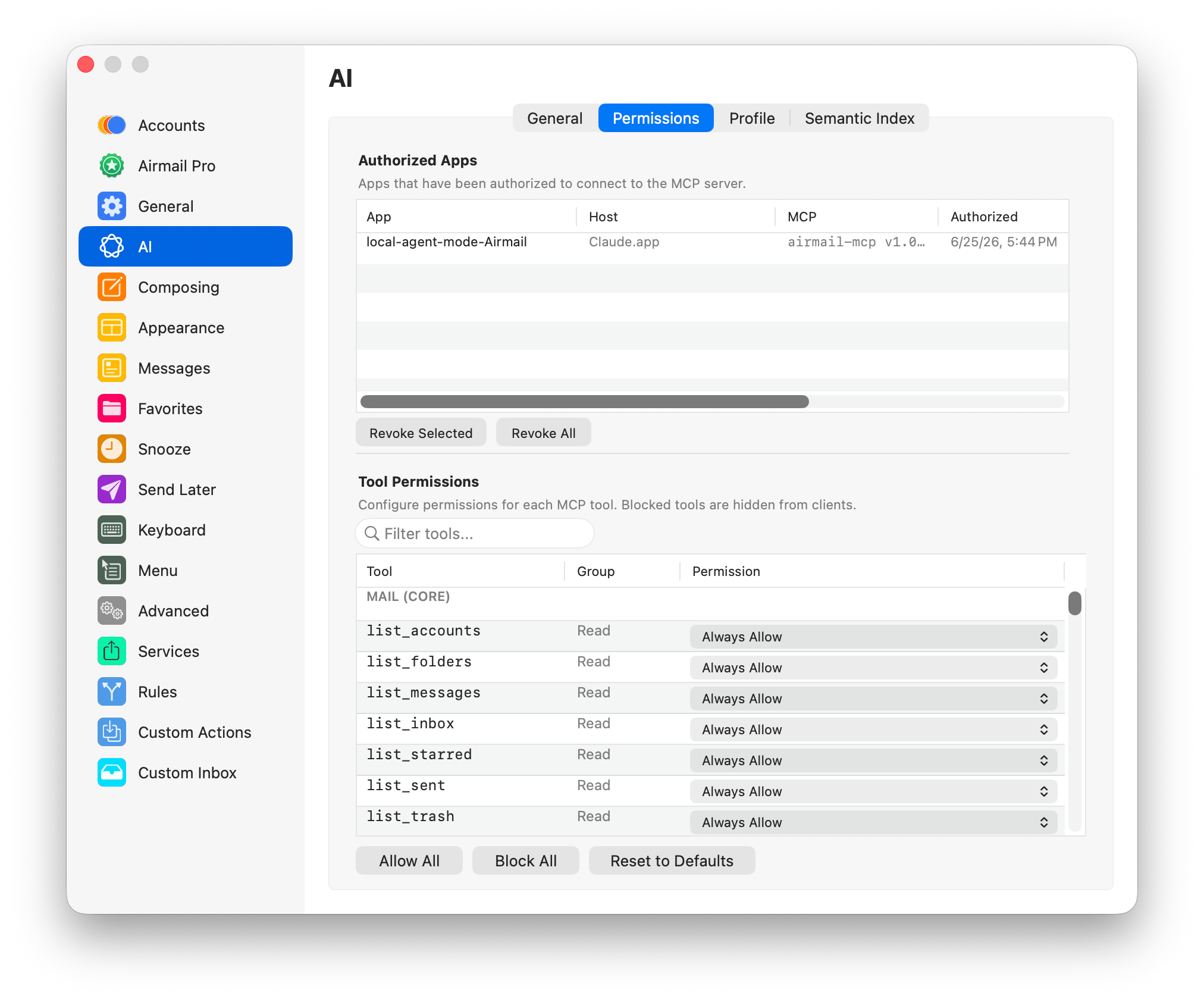
Approve the connection when Airmail asks — and choose what the assistant can do.
From then on, you just talk to your assistant.
You’re always in control
The connection runs locally on your Mac. Every assistant has to be approved before it can connect, and you decide which actions it can take. You can keep sensitive actions (like permanently deleting email) switched off, and remove any assistant’s access whenever you want.
Airmail gives you fine-grained control over the whole connection:
Granular permissions — customize exactly which actions each assistant can perform, capability by capability.
Custom rules and actions — set up your own rules and custom actions so the assistant works exactly the way you want.
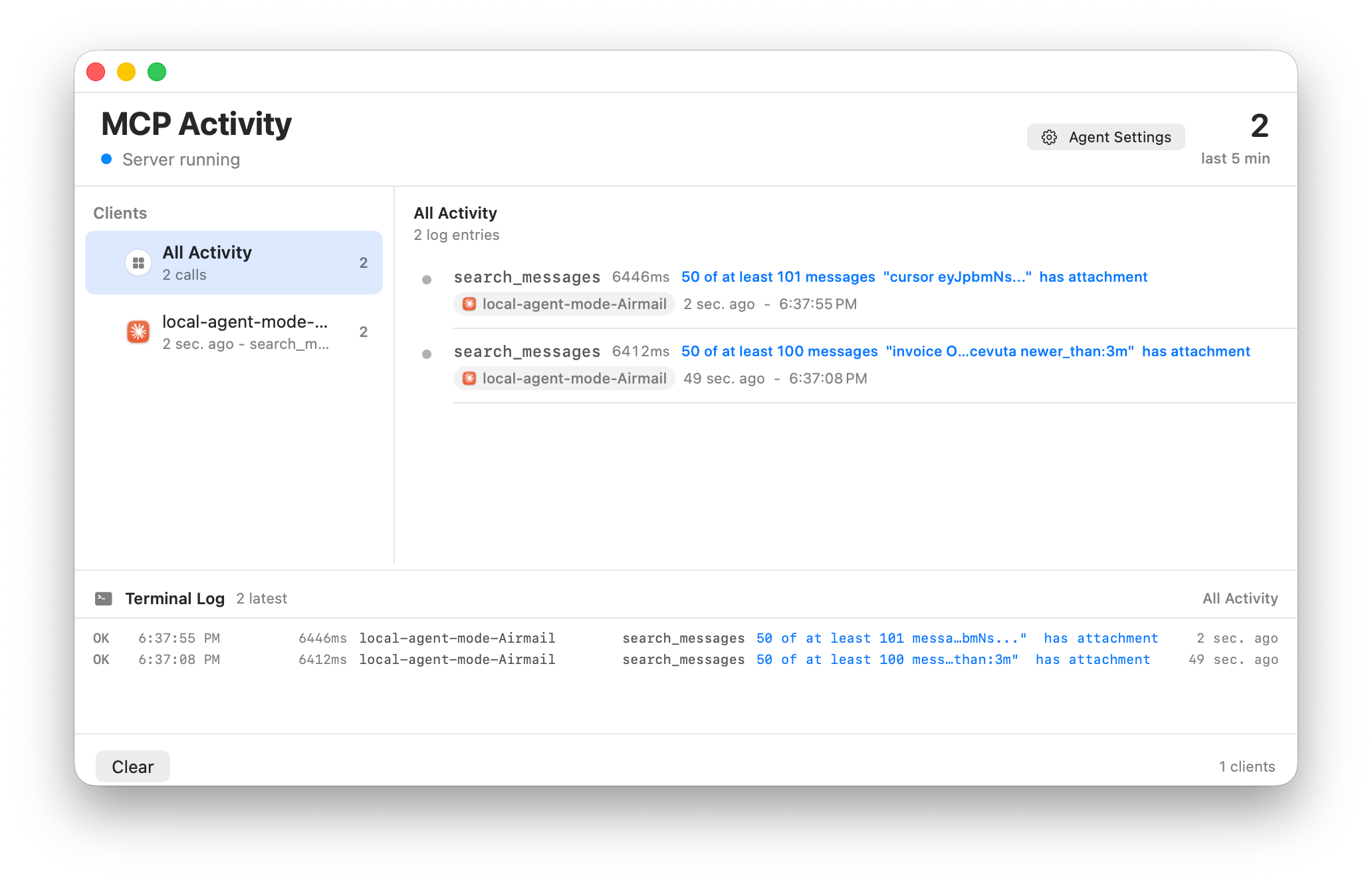
Detailed debugging — a detailed debug log shows precisely what each assistant requests and does, so nothing happens behind your back.
In practice, you get full control over everything.
Things you can ask
“Find the latest emails from Sarah about the contract.”
“Summarize my unread messages from today.”
“Show me the most important emails in my inbox.”
“Draft a reply saying I can meet next Tuesday.”
“Move these newsletters into my Newsletters folder.”
“Set an out-of-office reply for next week.”